Cut and engrave jewelry with a clean, modern interface. HagoLaser talks directly to your DLC2 board and imports the parameters you already calibrated in EzCad3 — it works right on the first run.
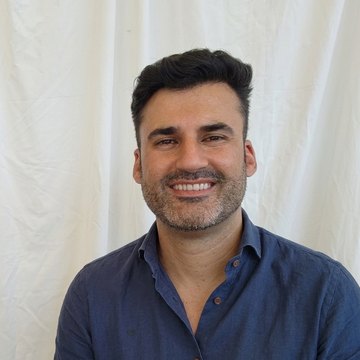
I'm Jose Rosado, a jeweler in Málaga, Spain. Our workshop fires the same fiber laser you probably own — a JCZ board running EzCad3 — every working day. HagoLaser exists because I got tired of fighting that software to make real jewelry, and nobody else was going to fix it.
Every feature — the color workflow, the silver cutting recipes, the focus handling — is there because I hit that exact problem at my own bench. It's not theory. It's what we use to make the pieces we sell.
Not a startup. A jeweler who knows exactly where it hurts.
Design in Inkscape (free) with color-coded operations: black = inner cut, purple = outer cut, blue = engraving. HagoLaser does the rest.
📥 Imports your EzCad3 setup
The first-run wizard finds your EzCad3, imports your calibrated pens as material recipes, your real Z focus and your machine calibration. Zero manual setup.
📚 Materials library
Recipes per material and thickness (silver, gold, brass, steel…), with passes, power, speed, frequency and multi-phase cutting — editable and shareable.
🌀 Jewelry-grade cutting
Spiral wobble, progressive Z descent while cutting and real focus management: clean cuts in precious metal sheet.
🗿 3D relief from STL
Turn any STL into a low relief engraved layer by layer with motorized Z. The star module — try it free during the trial.
🔴 Red-light preview & pedal
Frame your piece with the red pointer (single spot or full design), fire with a foot pedal, optional door-sensor safety lock.
🌍 7 languages
English, Spanish, Italian, French, German, Portuguese and Chinese — app and website.
🧙 Everything set up for you
The wizard also installs Inkscape (if missing), your color palette, and guides the USB driver setup.
Up and running in 3 steps
Download & install
Get the installer with your verified email and run it. No Python, no dependencies.
First-run wizard
It detects EzCad3, imports your pens and focus, sets up Inkscape and checks the USB driver.
Engrave
Open your SVG, pick material + thickness, frame with the red light and mark. That's it.
Free license — really
🎁 1 year free, renewable
One click inside the app gets you a free 1-year license for your machine. When it expires, renew for free again.
🧪 7 days, no license needed
Install and start marking right away. For the first 7 days you don't need a license at all; after that, one click inside the app gets you the free one.
🗿 Relief 3D = the paid extra
The free license covers all cutting and engraving forever-renewable. Only the 3D relief module is paid. That's how we keep the rest free.
Requirements
• Windows 10/11 (64-bit)
• Fiber laser with JCZ DLC2 / EZCAD3 controller board (USB)
• EzCad3 installed (HagoLaser imports its parameters — its files are never modified)
• Inkscape (free — the wizard installs it for you if missing)
See it before you download
Relief engraving on solid silver, layer by layer3D relief is the paid add-on — it's not in the free download. The free version does all the cutting and engraving.Watch on YouTube ↗
Materials library3D reliefFirst-run wizard
Download HagoLaser
Enter your email and we'll send you a verified download link. No spam — the email is only used to send the link and important update notices.
Check this first: your laser must run EzCad3. If it runs EzCad2, it has an older controller board and HagoLaser cannot drive it yet.
You'll receive an email with a verification link, valid for 48 h. Check your spam folder if it doesn't arrive in a few minutes.
⚠ When you run the installer, Windows may say “unknown publisher”. That's normal for new software (it's not a virus): click “More info” → “Run anyway”.
FAQ
Does it replace EzCad3? Will EzCad3 stop working?
HagoLaser talks directly to the board — you don't need to open EzCad3 anymore. EzCad3 must stay installed (HagoLaser imports its parameters and never modifies its files). Note: they use different USB drivers, so EzCad3 may not see the laser while the HagoLaser driver is active; switching back takes about a minute (guide included in the app).
Which lasers are supported?
Fiber lasers using the JCZ DLC2 / EZCAD3 USB controller (VID 9588). This covers most Chinese jewelry fiber lasers sold with EzCad3. Different board? Write to us — we're adding machines based on demand.
Is the free license really free?
Yes. 1 year, renewable for free, tied to your machine. Only the 3D relief module is a paid upgrade.
Is my EzCad3 configuration modified?
Never. HagoLaser only READS your EzCad3 files to import pens, focus and calibration — it never writes to them, and it makes a backup copy of your machine data.
What about the USB driver?
The installer puts it on for you: leave the “Install the USB driver” box ticked, accept the Windows prompt, and HagoLaser sees the board as soon as it opens. Nothing to choose from a list. Already using LightBurn? Then there is nothing to do at all — it is the same WinUSB driver. And it is fully reversible: to go back to EzCad3, uninstall that driver from Device Manager and reconnect the USB, and EzCad3's own driver comes back.