Engraving Photos on Metal: An Honest Guide from Our Workshop
If your laser-engraved photographs turn out as a blurry mess with stray lines, we've been there. This guide shares our workshop's tested methods and settings for engraving fine artwork on metal, so you can get clean results today.
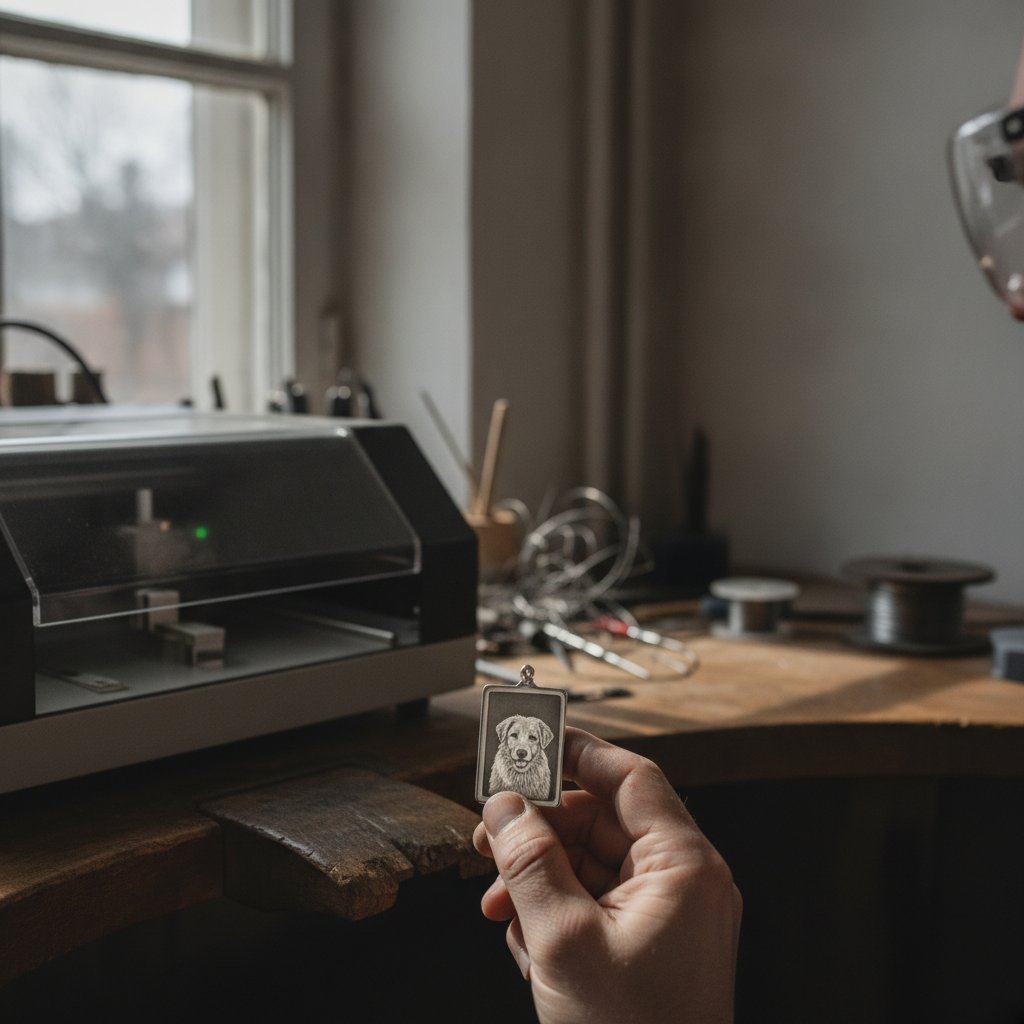
If you're trying to laser-engrave detailed photographs onto metal and ending up with a blurry mess with stray lines, we understand. Our jewelry workshop in Málaga, Spain, lost a lot of sterling silver to these exact problems before we figured out what was really happening.
Engraving a photograph on metal with a galvo fiber laser is one of the hardest jobs you can ask your machine to do. A detailed portrait can fragment into thousands of tiny marks, each with a jump between them. The detail in an image isn't just the black parts; it's the tiny white gaps that define hair, eyes, and texture. Anything that closes those gaps or adds unintended marks will destroy the picture.
Safety First: Invisible Lasers and Your Eyes
Before we dive into settings, remember that a fiber marking laser is a Class 4 device. The 1064 nm beam is invisible and can cause permanent eye damage instantly, even from reflections. Laser safety glasses rated for 1064 nm (with an OD suitable for your source power) must be worn by everyone in the room, always. Never leave a running job unattended. Metal marking produces fine particulate and fumes; proper extraction with a filter is critical health equipment, not an accessory. Physical interlocks and enclosures are your true safety layer; software interlocks are a convenience and can be switched off.
Why Your Photo Engraving Turns to Mush (and What to Do)
The biggest problems we faced were never about the quality of our original digital art. The geometry was perfect. The issues were entirely physical: the laser spot's width, and the residue left by thousands of travel moves.
The Spot Has Width: Compensating for Kerf
Your drawing has zero-width lines. Your laser does not. Every line the laser marks comes out fattened by roughly half a spot diameter on each side. On detailed images, this fattening closes the small white gaps that contain all the detail, turning fine features into an indistinct block.
The fix is to shrink the area you intend to mark by about half a spot diameter before marking. The laser spot then fattens it back to the correct size, and those critical white gaps survive. On our machine engraving silver, we use a default compensation of 0.05 mm, which means we shrink the marked area by this amount. More compensation makes the image finer and cleaner; too much, and the fill starts breaking up. This is the same principle as kerf compensation in cutting, but applied to engraving fills.
Stray Lines Aren't Random: Fixing the Jumps
Those faint, straight lines crisscrossing your engraving are not part of the fill pattern. They are the laser's jumps – the travel moves between marked segments, made with the beam supposedly off. A detailed photo engraving can easily contain over ten thousand jumps, and even a tiny leak per jump will paint a visible mesh over the whole piece.
We found two main causes for these leaks:
- Jumping too slowly: We initially lowered the jump speed, thinking a slow jump would leak less. The opposite is true. A slow jump gives the tail of the beam more time to drag a visible line across the work. Changing our jump speed back to 2000 mm/s (what EzCad3 uses by default) made these marks disappear and significantly sped up the job. This single change fixed a portrait that had been unusable.
- Laser Off TC too short: The
Laser Off TC(Turn-Off Time Constant) setting is the delay after the last mark of a segment before the head jumps away. Its job is to ensure the laser beam actually dies. If yours is set shorter than EzCad3's default 100 µs, you might be jumping with a live beam.
An additional trick is to order your fill pattern so that jumps stay short and land on already-marked (dark) areas, rather than crossing clean metal. This can cut visible jump residue by about 90 % without changing what actually gets marked.
Fill Strategies: Clean Sweeps, Not Serpentine Scars
A solid area is engraved by filling it with parallel lines, a process called hatching. There are two common orders: sweep (row by row, like a printer) and nearest-neighbor (always jump to the closest remaining segment).
- Sweep gives the most even, professional-looking result.
- The trap we fell into was marking the connectors between rows when sweeping. We were joining each row to the next in a serpentine pattern and marking those joining moves. These connectors were the "lines" we had been chasing for weeks. Use a proper jump between rows, and those lines are simply gone.
- Nearest-neighbor is useful if leak per jump is your dominant problem, as it keeps jumps short and localized, but it often results in a less uniform finish.
We also found that a reference machine we compared against engraved with fill ONLY, no contour pass. Its result was cleaner than the same job with a contour added. While contour helps small text, it often hurts smooth photographic fills.
Engraving Parameters That Actually Work (for Depth and Detail)
Engraving parameters are crucial, but what works for one machine or material may not work for another. Our machine is a 100 W MOPA fiber laser with a BJJCZ DLC2 controller. Here are the practical meanings of common EzCad3 settings:
- Speed (mm/s): How fast the galvos drag the spot. Slower means more energy per millimeter, leading to deeper and wider marks, up to the point of melting instead of ablating.
- Power (%): The average power output from the source. This isn't the whole story without considering frequency.
- Frequency (kHz): Pulses per second. Higher frequency means weaker individual pulses at a fixed average power.
- Pulse width (ns): Only on MOPA sources. Longer pulses put more energy into each shot and dig deeper. Shorter pulses are gentler, often used for color marking on steel.
- Passes / Loops: How many times the whole geometry is repeated. This is the most predictable way to get depth.
- Jump speed (mm/s): How fast the head travels between marks with the beam off. As discussed, this is critical for avoiding stray lines.
- Laser Off TC (µs): Delay after the last mark before jumping. Again, critical for avoiding stray lines.
Frequency vs. Pulse Energy: The Real Lever for Depth
This was a genuinely counter-intuitive lesson for us: our 100 W source initially engraved shallower than a 30 W machine on the same material. The reason is that engraving depth per pass follows the energy per pulse, which is roughly average power divided by frequency, not just the wattage on the label.
We were engraving at 40 kHz and 700 mm/s. The 30 W machine was at 30 kHz and 500 mm/s. Its individual pulses were "fatter," so it dug faster despite having a third of the average power. For depth, lowering the frequency is often more effective than simply raising the power. For fine surface marking and clean detail, higher frequency is often better.
Our Tested Recipe for Engraving Enamel-Ready Silver
For jewelry that needs to be color-filled with enamel, you need real depth for the enamel to adhere and to allow for sanding and polishing later. Our confirmed recipe for sterling silver:
| Setting | Value |
|---|---|
| Power | 100 % |
| Speed | 600 mm/s |
| Frequency | 30 kHz |
| Passes | 10 |
More passes at this recipe is the predictable way to go deeper. Sharp, vertical-ish walls hold enamel better, which is another reason to compensate for spot width instead of letting the mark spread. You can read more about why focus matters so much for crisp cuts and engravings.
Once engraved, we fill the recess with enamel, clean the excess, and fire it if it's kiln enamel. The key is that the engraving must be deep enough to allow you to sand the surface flat and then polish it, leaving the color flush with the metal. Too shallow, and sanding removes the color.
Beyond the Basics: Fine Detail and Relief
Strokes Thinner Than Your Spot: When Details Vanish
Once you implement spot width compensation, a new trap emerges: if you shrink the area to be marked by half a spot, any stroke that was already thinner than the spot will shrink to nothing and disappear completely from the job. The fine line work in a drawing is exactly what vanishes first.
If, after adding compensation, small details are simply missing (and no amount of extra power brings them back), the machine was never told to mark them. The fix is to identify these thin features in your artwork and either thicken them deliberately or mark them as one or two single lines at their real size, bypassing the compensation for those specific elements.
Relief Work: Terraces, Dithering, and Resolution Limits
For 2.5D relief work, where a grayscale image becomes real depth in metal, there are additional considerations. On silver, at our standard 95% power, 700 mm/s, and 40 kHz with a 0.03 mm Z step, we measured about 18 µm removed per layer. Asking for 1 mm of depth produced about 0.6 mm in practice – roughly 60 % of what we requested. This calibration is specific; change any parameter, and you must measure again.
The classic artifact in relief work is "terraces" – visible contour lines on gentle slopes, like a topographic map. We found that dropping Z in smaller steps doesn't fix it effectively because the laser stops working usefully after about a millimeter of defocus. The real solution is a final pass at the focus height that modulates energy by depth instead of moving Z. Deep areas get engraved in every level, shallow areas in fewer, producing a continuous gradient that melts the steps together. This is similar to how we address terraces in our relief work.
Other factors for detail:
- Hard thresholds delete small features: If a layer either engraves a spot or does not, any feature shallower than one layer step vanishes entirely. Features under about 0.05 mm disappeared completely for us. Using partial coverage (dithering) instead of a hard yes/no brings sub-step detail back and blends terraces. This can increase job time significantly.
- Edge compensation: Eroding each layer mask by about 0.04-0.06 mm (half a spot) gives crisp walls and sharp features instead of everything melting into a soft mound.
- Resolution ceiling: You trade piece size against detail. A 0.02 mm step is realistic on small jewelry pieces; on larger pieces, you accept a coarser step.
The Material Matters: Why Silver Fights You
A fiber laser at 1064 nm needs to be absorbed to do anything. The more the metal reflects, the more power bounces off instead of working. This is a critical factor for successful engraving.
- Silver is the worst of the common precious metals for this. It is the most reflective metal there is and an excellent heat conductor. It both rejects the beam and quickly carries away any heat that does get in. This is why it needs so many passes and specific settings to engrave properly.
- Gold reflects less, and the difference on the bench is obvious. The laser works very well on gold; it cuts and engraves more easily than silver with the same machine and operator. If you've only ever cut silver, working with gold will feel like your machine suddenly got an upgrade.
- The workaround for very reflective silver: paint it matt black, mark through the coating, then clean it off. The coating absorbs the laser energy, and the heat does the work on the silver. It's not elegant, but it's effective.
Never judge a machine, a recipe, or your own skill on silver alone. It is the hardest common case, not the average one. For any new material, you will need to calibrate your settings on scrap.
Your First Steps for Success: Practical Takeaways
If you're struggling to get clean photo engravings on metal, here's what we recommend you tackle first, in order of impact:
- Compensate for spot width: Shrink your marked area by about 0.05 mm. Test this value on scrap; too much, and your image breaks up; too little, and it's still blurry.
- Verify jump speed and Laser Off TC: Set your jump speed to at least 2000 mm/s and your
Laser Off TCto 100 µs. These are critical for eliminating stray lines. - Use a clean sweep fill strategy: Ensure your fill pattern uses distinct jumps between rows, rather than marking serpentine connectors.
- Adjust frequency for depth: If you need depth, lower your frequency before increasing power. Our recipe for enamel-ready silver uses 30 kHz.
- Be realistic: Photo engraving on metal is a craft with a ceiling. Portraits with broad tonal areas work better than those dependent on extremely fine hair. Always test at the final size, on the actual material, before promising a customer anything.
These adjustments were game-changers for our workshop, letting us finally produce clean, detailed photo engravings on challenging materials like sterling silver. Remember, what works on our machine and material needs to be proven on your own setup and scrap.